A host directory that scales to hundreds
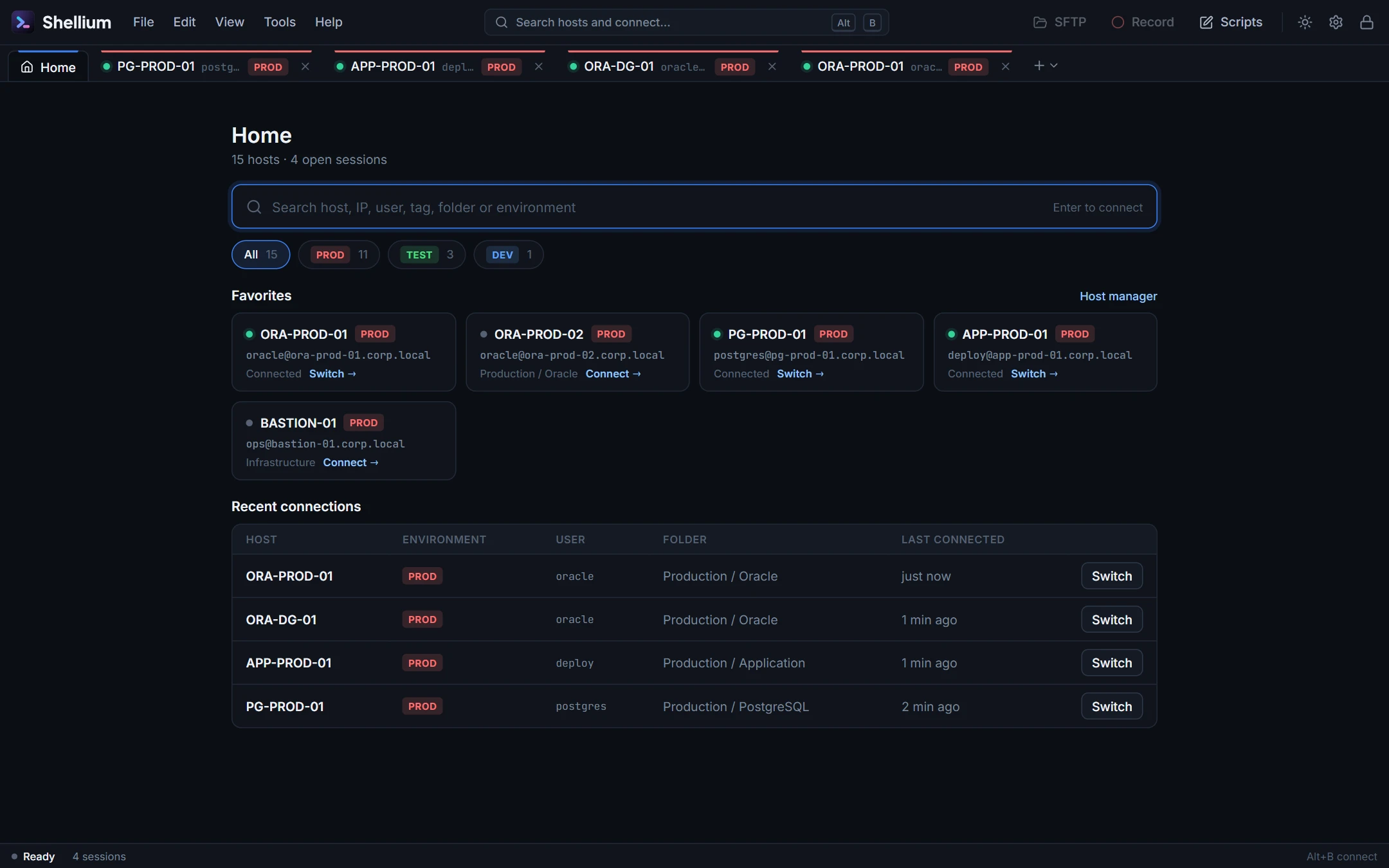
Folders, tags and environments such as PROD TEST DEV. Search by name, IP, user, tag or folder from Home or with Alt+S, keep favorites, and see your recent connections with one-click switch.
Shellium 2.1.0 · Windows · macOS · Linux
Hundreds of hosts one keystroke away. Routine checks on color-coded buttons. File transfers that never write over a target in place. And every credential in a vault that is encrypted before it touches the disk.
Features
Built for DBAs and on-call engineers who keep dozens of sessions open, switch between production and test all day, and cannot afford a mistyped paste.
Folders, tags and environments such as PROD TEST DEV. Search by name, IP, user, tag or folder from Home or with Alt+S, keep favorites, and see your recent connections with one-click switch.
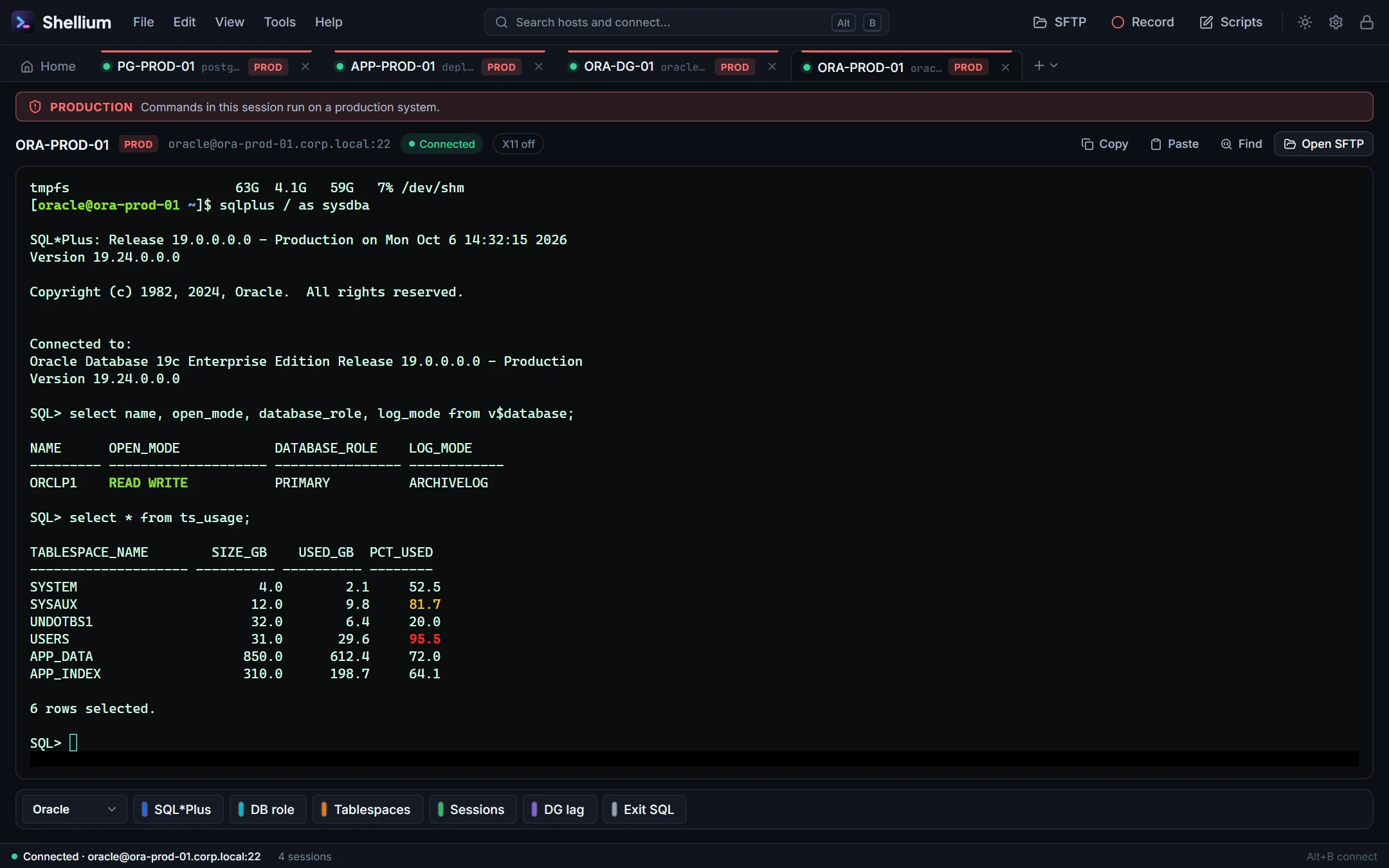
Tabs on top, left or right. Unread output turns a tab blue, a dropped session turns it red, and every production session carries a banner so you always know where you are typing.
Color-coded, grouped buttons for your routine checks, with send strings and escape tokens (\r, \p, \t). Run the first nine with Alt+1…9.
.part file, then replace the originalname.bak-YYYYMMDD-HHMMSS (on by default)Anything with a line break opens an editable review first, exactly as copied, blank lines kept. Nothing reaches the server until you confirm, so a stray clipboard never runs on production.
Protocol NO-OPs and an optional keep-alive string, set per host or as a default, plus how many unanswered NO-OPs close a dead link. No silent auto-reconnect: you decide when to reconnect.
Run graphical installers and tools such as the Oracle Universal Installer through your local X server, enabled per host.
Record a terminal session to a file you choose, for change records and post-incident notes.
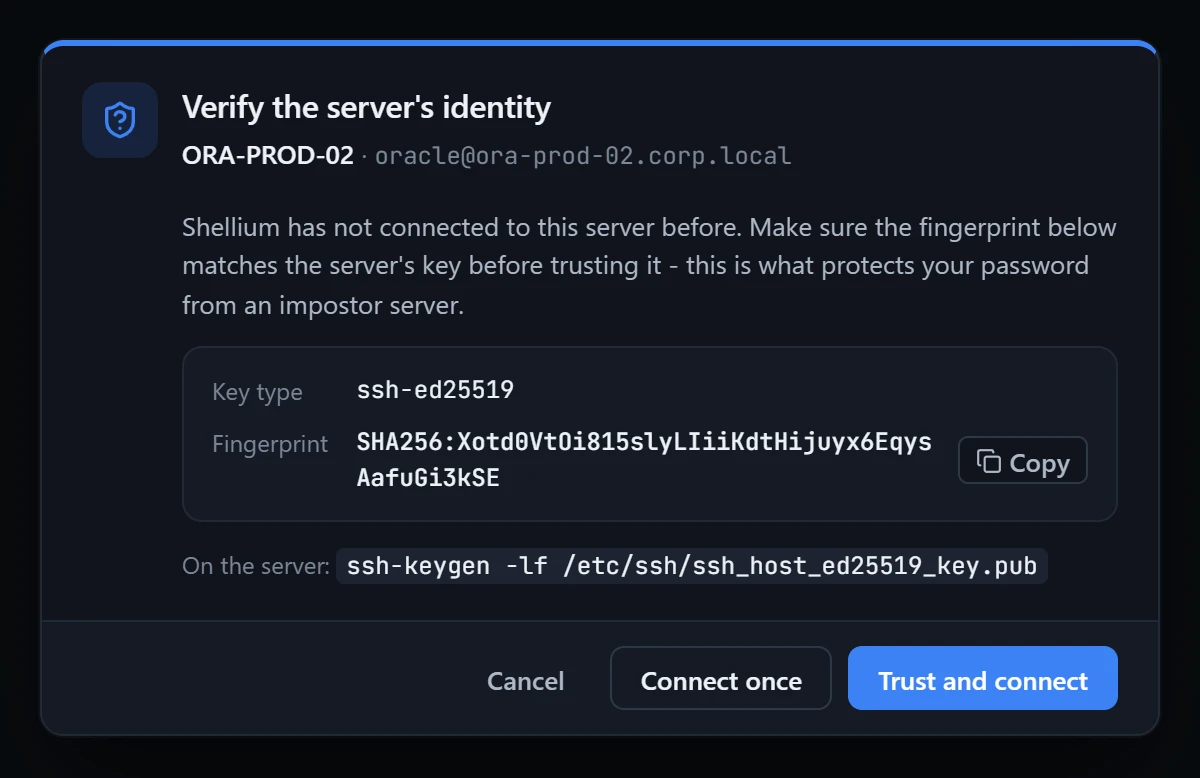
Options › Security lists every key this device trusts, lets you remove one, and imports a standard known_hosts file so your existing trust carries over.
Fourteen terminal color schemes, from Dracula and Nord to Solarized, plus your own. Give Production its own red-tinted scheme so a prod session never looks like test. Light and dark app themes, find-in-terminal.
Security
Shellium has no "no password" mode. Until you unlock it, it reads nothing: no hosts, no scripts, no keys.
ssh-rsa, CBC ciphers and hmac-md5 only for a host you mark as legacy, or after you answer a clear prompt. Never silently.app password required · at least 8 characters database AES-256-GCM · authenticated local key DPAPI | Keychain | libsecret per value passwords and scripts encrypted again host keys trust on first use · SHA256 export .shellium · scrypt N=2^17 · AES-256-GCM readable none · no JSON, no header, no strings linux refuses to run without a keyring recordings plain text, only where you save them
Tour
Real screenshots of Shellium 2.1.0, taken with made-up hosts against a local test server.
Migrate
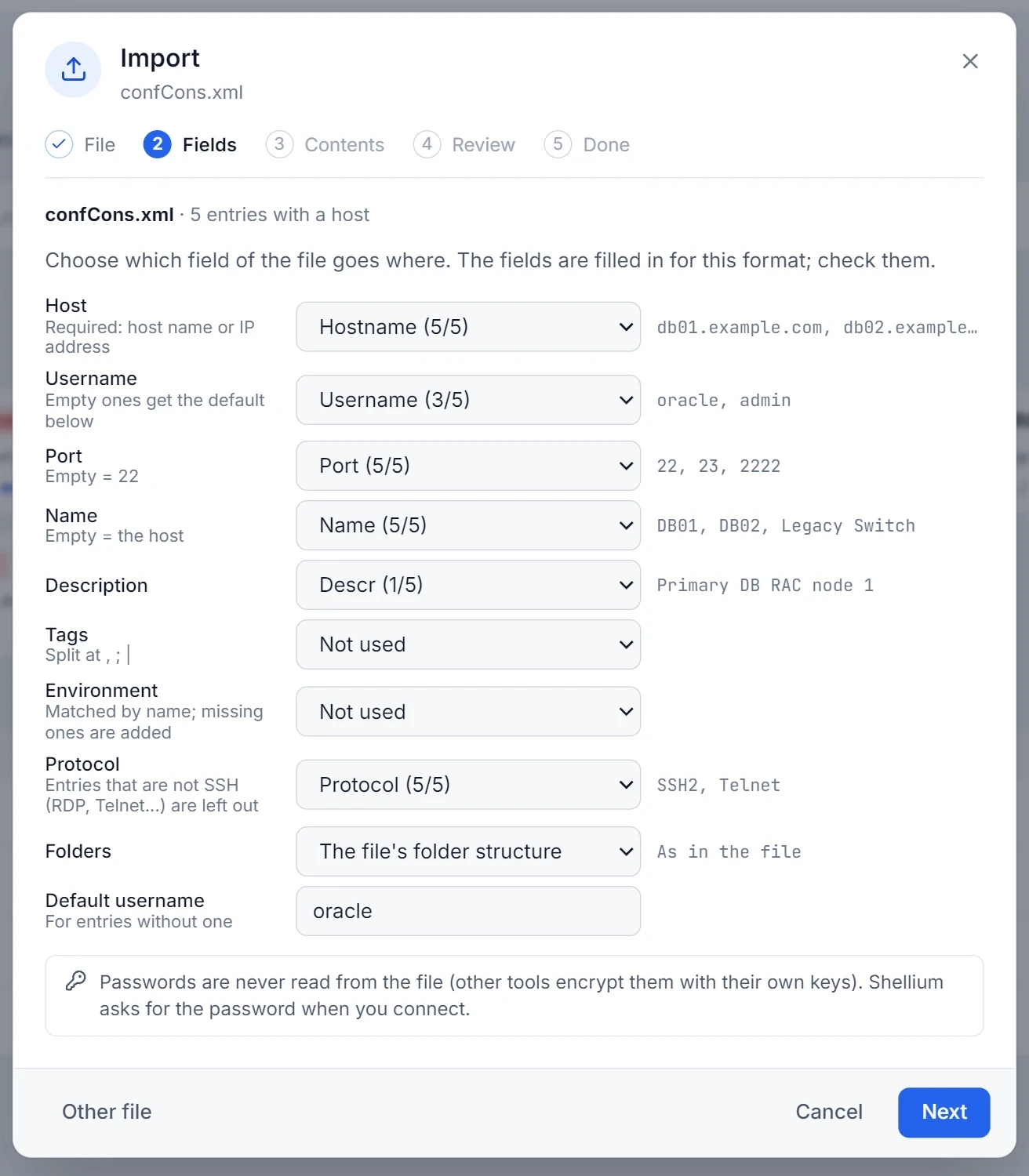
File › Import reads other tools' exports. You map their fields once, review every conflict, and can undo the whole import until you close the wizard.
Install
Shellium-Windows-2.1.0-Setup.exe (64-bit, Windows 10 or 11).Shellium-Mac-2.1.0-Installer.dmg.Shellium-Linux-2.1.0.AppImage (x64).$ chmod +x Shellium-Linux-2.1.0.AppImage $ ./Shellium-Linux-2.1.0.AppImage
Download
One installer per platform. Your hosts, passwords and scripts stay on your own machines.
Windows 10 / 11 · x64 · installer
Download .exeShellium-Windows-2.1.0-Setup.exe
macOS 10.15 or newer · disk image
Download .dmgShellium-Mac-2.1.0-Installer.dmg
AppImage · x64 · needs GNOME Keyring or KWallet
Download .AppImageShellium-Linux-2.1.0.AppImage
Questions
The vault cannot be opened without it; that is the point. Keep the password in your password manager, and keep a .shellium export (protected by its own file password) as a backup.
Use File › Export to create a .shellium file: choose folders, script categories, environments, options and trusted host keys, and decide whether saved passwords go in. Import it on the new machine. The database file itself only opens on the account that created it.
No, by design. A dropped session turns its tab red and tells you why; you reconnect when you decide to. Anti-idle settings help keep idle sessions alive through firewalls.
Any SSH-2 server: Linux and Unix hosts, appliances and network devices. Older devices that only offer legacy algorithms work after you allow them for that host.
Shellium connects only to the hosts you open. Hosts, passwords, scripts and settings stay in your data folder on your machine.